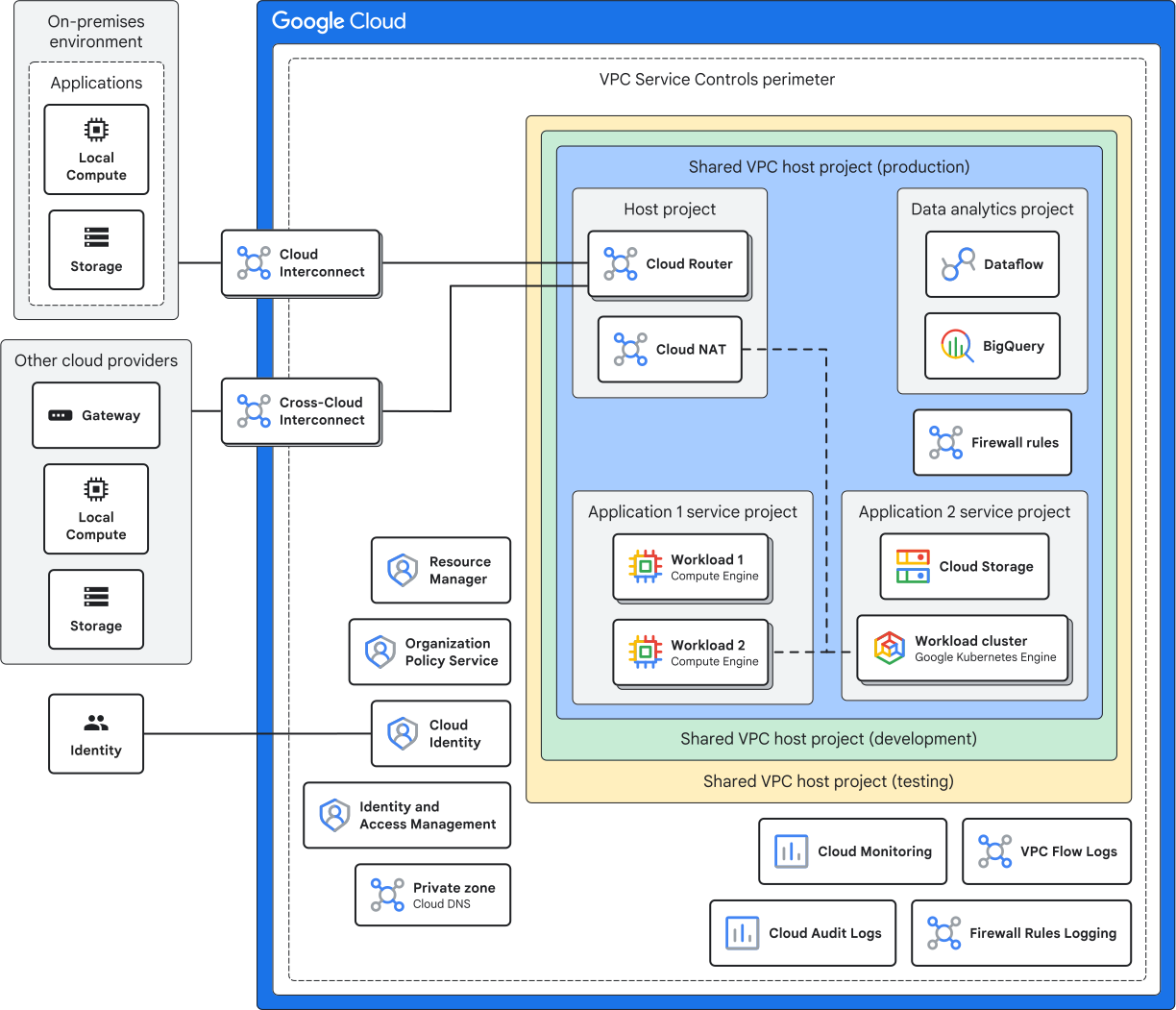
All kinds of network connectivity.
Read The Docs
https://docs.cloud.google.com/architecture/landing-zones
https://docs.cloud.google.com/architecture/landing-zones/decide-network-design
https://docs.cloud.google.com/architecture/best-practices-vpc-design
1. GCP resource → Public Internet
| Situation | What to use |
|---|---|
| VM has an external IP | Works directly |
| VM has no external IP | Cloud NAT needs a Cloud Router too, just as a config holder |
| Serverless (Cloud Run / Cloud Functions) default egress | Works out of the box |
| Serverless requiring a static/fixed egress IP | Direct VPC Egress (or less preferred Serverless VPC Access connector) routed to a subnet with Cloud NAT |
Old App Engine uses Serverless VPC Access.
2. GCP resource → Google APIs
| Situation | What to use |
|---|---|
| VM has an external IP | Works by default |
| VM has no external IP | Enable Private Google Access on the subnet |
| Serverless calling Google APIs | Works by default |
| Need strong data-exfiltration protection (security boundary) | VPC Service Controls + Private Google Access |
| Need to reach a 3rd-party SaaS or expose your own service privately | Private Service Connect (PSC) |
3. Serverless → VPC resources
Including on-prem resources.
| Situation | What to use |
|---|---|
| App Engine / Cloud Functions / Cloud Run needs to reach a VM, Memorystore, or an on-prem database through an existing VPN tunnel | Direct VPC Egress preferred. Or Serverless VPC Access connector |
Note
Serverless products do not live inside your VPC by default. The connector is the “bridge” that lets them send traffic into your VPC.
4. GCP ↔ On-premises
| Situation | What to use |
|---|---|
| Low/medium bandwidth, OK to go over a tunnel, lower cost | Cloud VPN use Cloud Router with BGP for dynamic routing, or static routes |
| High bandwidth, low latency, production-critical traffic | Dedicated Interconnect direct physical link to Google |
| Want interconnect-level quality, but don’t want to build your own physical link | Partner Interconnect through a service provider |
5. VPC ↔ VPC
| Situation | What to use |
|---|---|
| A few VPCs, each team wants to keep managing their own VPC independently | VPC Peering (note: not transitive, and subnets must not overlap) |
| Many projects should share one network, with centralized IP/subnet/firewall management | Shared VPC one host project + many service projects |
| Many VPCs + many on-prem sites, large mesh-style topology | Network Connectivity Center (hub-and-spoke model) |
| One single instance must belong to multiple separate VPCs at the same time | Multiple NICs |
Note
Shared VPC is generally the best practice for enterprise environments within a single organization. Use VPC Peering or PSC when crossing organization boundaries.
6. Internet users → service deployed on GCP
| Situation | What to use |
|---|---|
| Public web app, need global reach, CDN, WAF, SSL | External Application Load Balancer (ALB) + Cloud CDN + Cloud Armor |
| Non-HTTP protocols, gaming, raw TCP/UDP, or preserving client source IP | External Network Load Balancer (NLB) (Passthrough) |
| Non-HTTP (TCP/SSL only) needing Global Anycast IP, TLS termination, or Cloud Armor | External Proxy NLB |
| Only internal/VPN users should reach the service, not the public internet | Internal Load Balancer ALB or NLB |
7. Google-managed services that need a private IP
| Situation | What to use |
|---|---|
| Cloud SQL, Memorystore, etc. need a private IP address inside your VPC | Private Services Access (based on VPC Peering) or Private Service Connect |
You will notice it creates a new VPC Network Peering.
Quick memorization tips
- Private VM Outbound to internet: Cloud NAT
- Serverless Outbound to internet (with static IP): Direct VPC Egress + Cloud NAT
- Access Google APIs privately: Private Google Access (Subnet-level) or PSC Endpoint
- Serverless entering VPC: Direct VPC Egress / Serverless VPC Access connector
- Connect On-Prem: Cloud VPN (Internet-based) vs. Dedicated/Partner Interconnect (Direct)
- VPC to VPC: Shared VPC (centralized / single org) vs. Peering (decentralized / non-transitive)
- Managed DBs (Cloud SQL / Redis): Private Services Access (PSA) / Private Service Connect (PSC)
- Inbound Traffic: Application Load Balancer (L7) vs. Network Load Balancer (L4)
- L4 Load Balancing: Passthrough NLB (UDP/TCP, preserves client IP) vs. Proxy NLB (TCP/SSL only, Global Anycast, TLS termination, Cloud Armor).